Workflow and Task Status
The workflow and task statuses are crucial to understanding the execution mechanism in Conductor. You can check a workflow execution’s current status and task status from the Conductor UI or using API.
Workflow status
Once started, a workflow execution will either be in an ongoing or terminal status.
| Status | Description |
|---|---|
| RUNNING | The workflow is in progress. |
| PAUSED | The workflow is paused by a user or an external event and is awaiting a manual action to resume. |
| COMPLETED | Terminal status where all the tasks in the workflow are completed. |
| TIMED_OUT | Terminal status where the workflow's configured timeoutSeconds has elapsed, or a task with timeoutPolicy: TIME_OUT_WF has timed out. |
| TERMINATED | Terminal status where an incomplete workflow has been terminated by a user, event, or another workflow. |
| FAILED | Terminal status where the workflow has encountered an error and failed. You can retry the workflow execution from the failed task. |
Task state transitions
During a workflow execution, each task will go through the state transitions illustrated in the figure below.
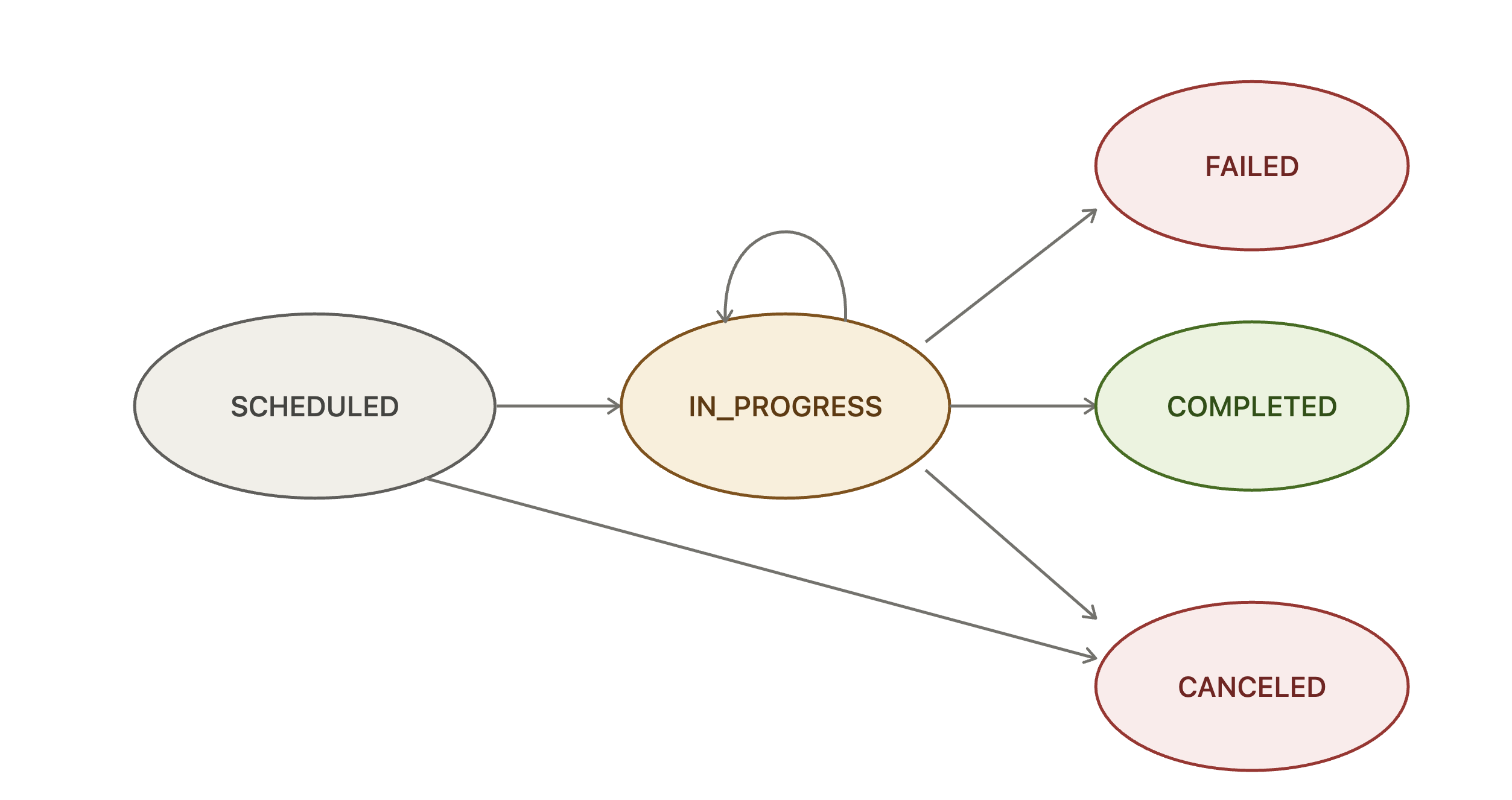
Task status
Each task will be in a scheduled, ongoing, or terminal status.
| Status | Description | Retriable | Terminal |
|---|---|---|---|
| SCHEDULED | The task has been scheduled to be picked up by a worker. | Yes | No |
| IN_PROGRESS | The task is being executed by a worker. | Yes | No |
| SKIPPED | The task is skipped without executing, and the workflow continues to the subsequent tasks. Occurs if the Skip Task API is used in a currently running workflow. | No | Yes |
| TIMED_OUT | The task timed out without being completed. Occurs if the task has been configured with the following timeout parameters in its task definition:
| Yes | Yes |
| CANCELED | A SCHEDULED or IN_PROGRESS task has been canceled without being completed because the workflow has been terminated. | No | Yes |
| FAILED | The task failed to complete due to an error, and the workflow can be retried from the failed task. | Yes | Yes |
| FAILED_WITH_TERMINAL_ERROR | The task failed to complete due to an error and cannot be retried. | No | Yes |
| COMPLETED_WITH_ERRORS | The task has encountered errors but is still completed. Occurs only when a task is set as optional in the workflow definition and fails during execution. The workflow will continue even when there are errors. | Yes | Yes |
| COMPLETED | The task has been successfully completed without any errors. | Yes | Yes |