- AGENTIC
- ANNOUNCEMENTS
GPT-5.2 Is Here—Now Put It to Work in Orkes Conductor
 Maria Shimkovska Content Engineer
 GPT-5.2 just shipped. Here’s how to plug it into Orkes Conductor and start running real agentic workflows (with guardrails, observability, and the flexibility to switch models anytime).
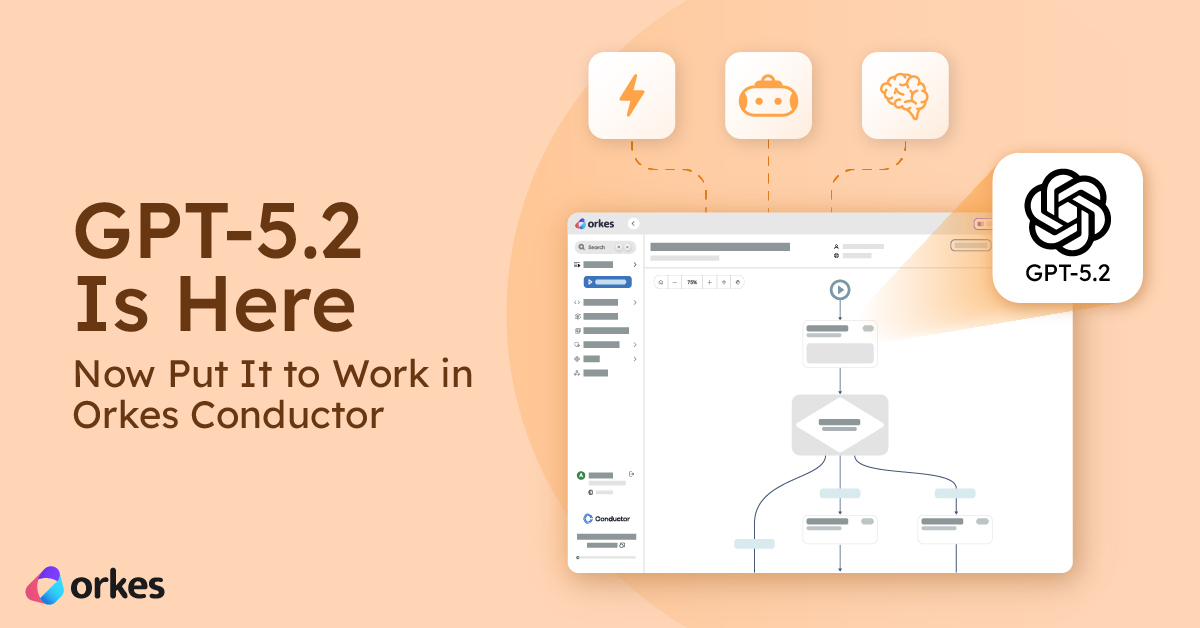
GPT-5.2 is officially out (OpenAI started rolling it out on Dec 11, 2025), and it’s positioned as the new flagship for both general work and multi-step agentic tasks.
In this post, you’ll learn how to use GPT-5.2 with Orkes Conductor to build production grade agentic workflows with little to no code. Actually, to use GPT-5.2 without the fine tuning features OpenAI rolled out you don’t need any code with Conductor. I am writing a follow up article on how you can easily also plug in GPT-5.2 using the fine tuning parts of the model. So stay tuned for that.
Bonus: will chat about model flexibility so you can see how you can swap LLM models without rewriting your orchestration. I will explain why this is super important too and will continue to remain important in the future.
What’s new in GPT-5.2 (and why it matters for agentic workflows)
OpenAI describes GPT-5.2 as its best general-purpose model, with improvements vs. GPT-5.1 in instruction following, accuracy/token efficiency, multimodality (especially vision), code generation (notably front-end UI), tool calling/context management, and spreadsheet understanding/creation. Pretty cool stuff.
You’ll also see new “agent-friendly” controls that matter when you’re running LLMs inside orchestrated workflows:
- Reasoning effort, including a new xhigh level (useful when you want to “spend compute” only on the hard steps).
- Verbosity control (dial response length without rewriting prompts—handy for tool outputs vs. user-facing outputs).
- Allowed tools list (a practical guardrail for tool-using agents).
- Compaction for long-running work (helps manage context over time).
Which GPT-5.2 model should you pick?
Here is OpenAI’s current guidance:
gpt-5.2: complex reasoning, broad world knowledge, code-heavy or multi-step agentic tasksgpt-5.2-pro: tougher problems that may take longer but benefit from “harder thinking”gpt-5.2-chat-latest: the ChatGPT-powered variant
(And if you’re building an interactive coding product specifically, OpenAI still points to gpt-5.1-codex-max as the coding-optimized option.)
How to Integrate GPT-5.2 into Orkes Conductor
Getting GPT-5.2 running in Orkes Conductor is intentionally simple. You don’t need to change your existing workflows or write new orchestration code—you just add the model as a provider and start using it.
Step 1: Get your OpenAI API key
If you don’t already have one, create an OpenAI account and generate an API key from the dashboard. This key is what allows Conductor to securely call GPT-5.2 on your behalf.
Step 2: Create an OpenAI integration in Conductor
In Orkes Conductor, create a new OpenAI integration and paste in your API key. From there, you can register one or more models under that integration, such as gpt-5.2 and gpt-5.1-pro.
You can also control which teams, services, or environments are allowed to use each model, which is useful for safely testing GPT-5.2 before rolling it out broadly across your environments and workflows.
Step 3: Use GPT-5.2 in your workflows
Once the integration is set up, GPT-5.2 becomes available as a drop-in option in Conductor’s LLM tasks (like LLM Chat Complete). From the workflow’s point of view, nothing else changes. You’re simply selecting a different model.
This means you can test GPT-5.2 in an existing workflow, compare it side-by-side with another model, and roll it into production very quickly.
Model Flexibility: Why Easy Switching Matters (and the Models We Support)
AI models change fast. New models ship, older ones get deprecated, pricing shifts, and performance improves in different areas over time. Locking your workflows to a single model is a short-term decision that quickly becomes a long-term risk.
That’s why Orkes Conductor is designed to treat models as replaceable components, not hard-coded dependencies.
Models you can run today
In addition to GPT-5.2, Orkes Conductor supports multiple LLM providers and model families, including:
- OpenAI models (GPT-5.2, GPT-5.2-pro, and others)
- Azure OpenAI deployments
- Anthropic models
- Google models
- Open-source and self-hosted LLMs
You can mix and match these in the same platform—and even within the same workflow.
Why this flexibility matters
With Conductor, switching models is as simple as changing configuration, not rewriting logic. We wanted to give the best experience for building and maintaining your workflows, like:
- Future-proofing: When a model is deprecated or a better one appears, you can switch with minimal effort.
- Risk reduction: Add fallback models so your workflows keep running if a provider has an outage or a model becomes unavailable.
- Cost and performance control: Route simple tasks to cheaper models and complex reasoning to more powerful ones.
- Zero user impact: Your users don’t notice when models change—your workflows continue to behave the same way.